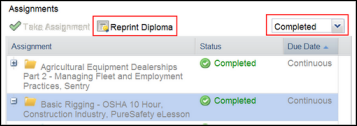
Once you have completed your assignment, you can print your diploma.
The Reprint Diploma button is disabled if the administrator hasn't enabled this option or a diploma isn't available for the assignment you have selected. If you are unable to print a diploma for an assignment, contact your training administrator for more details.
- Go to
the Home tab. In the
Assignments panel, select the Completed view.